Security and privacy
What a connected phone can do, what the link is worth, and what stays on your device.
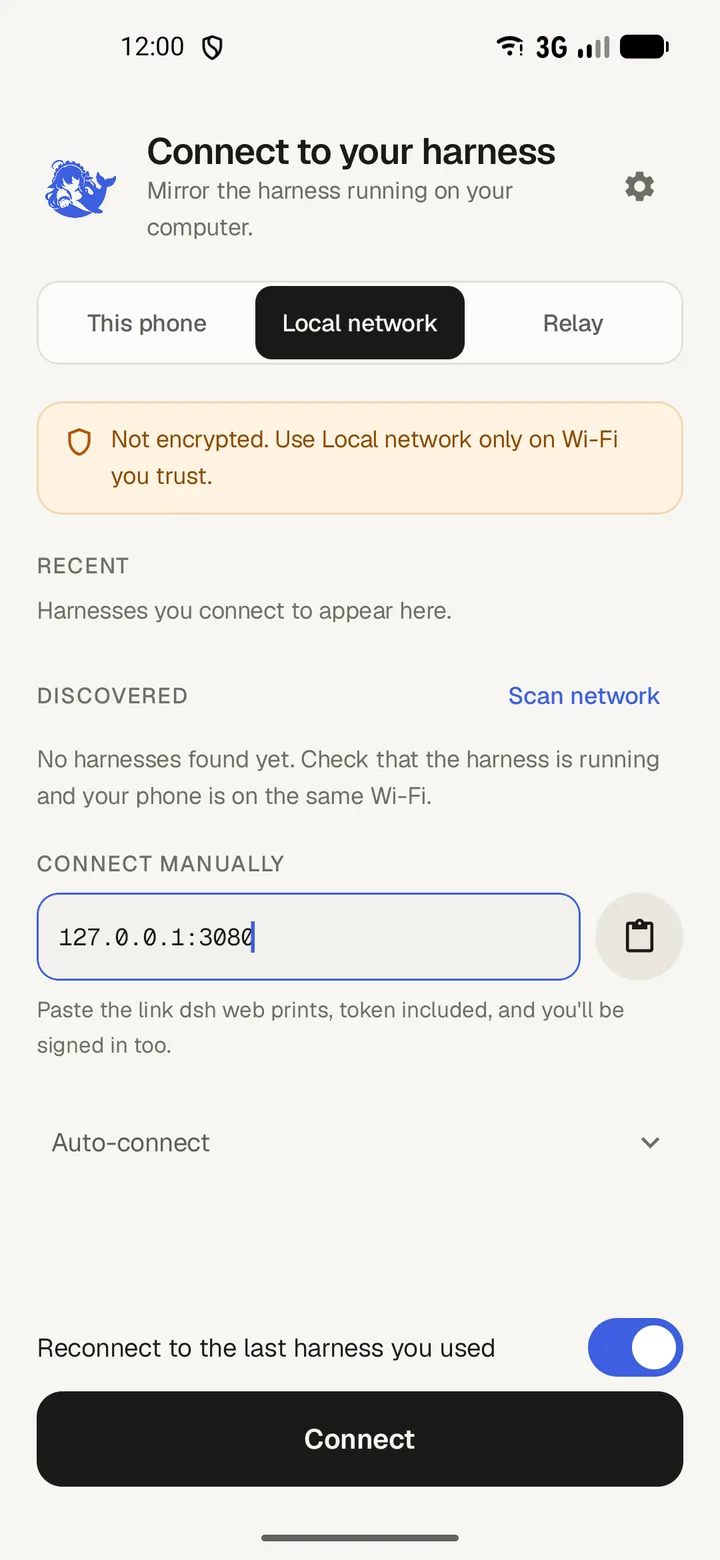
A connected phone can drive the computer
The agent runs commands, reads and writes files, and can install software on the computer it runs on. Anyone who can drive the app can do the same.
So treat the startup link like a password. It signs in a device, and it stays valid until the harness restarts. Keep it off shared screens, chat and screenshots.
Local network is not encrypted
- Local network checks the sign-in token and encrypts nothing.
- Use it on Wi-Fi you trust, and nowhere else.
The relay adds a password and encryption
Relay adds a password, encryption and device pairing, so you can reach the harness from outside your home network. The app pins the relay's key, so a different key at that address is refused rather than trusted.
Set it up in Connect from outside your home network.
What the app stores
- Remembered harness addresses and your preferences, both in the app's own storage.
- No chat history. Transcripts live in memory and are read from the harness again on the next connection.
- Clear the addresses with Forget remembered harnesses in Settings, then Data.
The update check
One request goes somewhere other than your harness: the app asks GitHub for the latest release when it starts, and again when you come back after a few hours.
Turn it off with Check for updates in Settings, then About.
Report a security problem privately. Do not open a public issue; Questions and answers has the address.