Connect over Wi-Fi
Start the harness on the computer's network address, paste the link it prints, and connect the phone.
On the computer
-
Open a terminal.
-
Start the harness on its network address. This needs harness 0.2.1-alpha.2 or newer.
dsh web --host <address> -
Copy the line it prints. It looks like
dsh web: http://<address>:3080/?token=….
On the phone
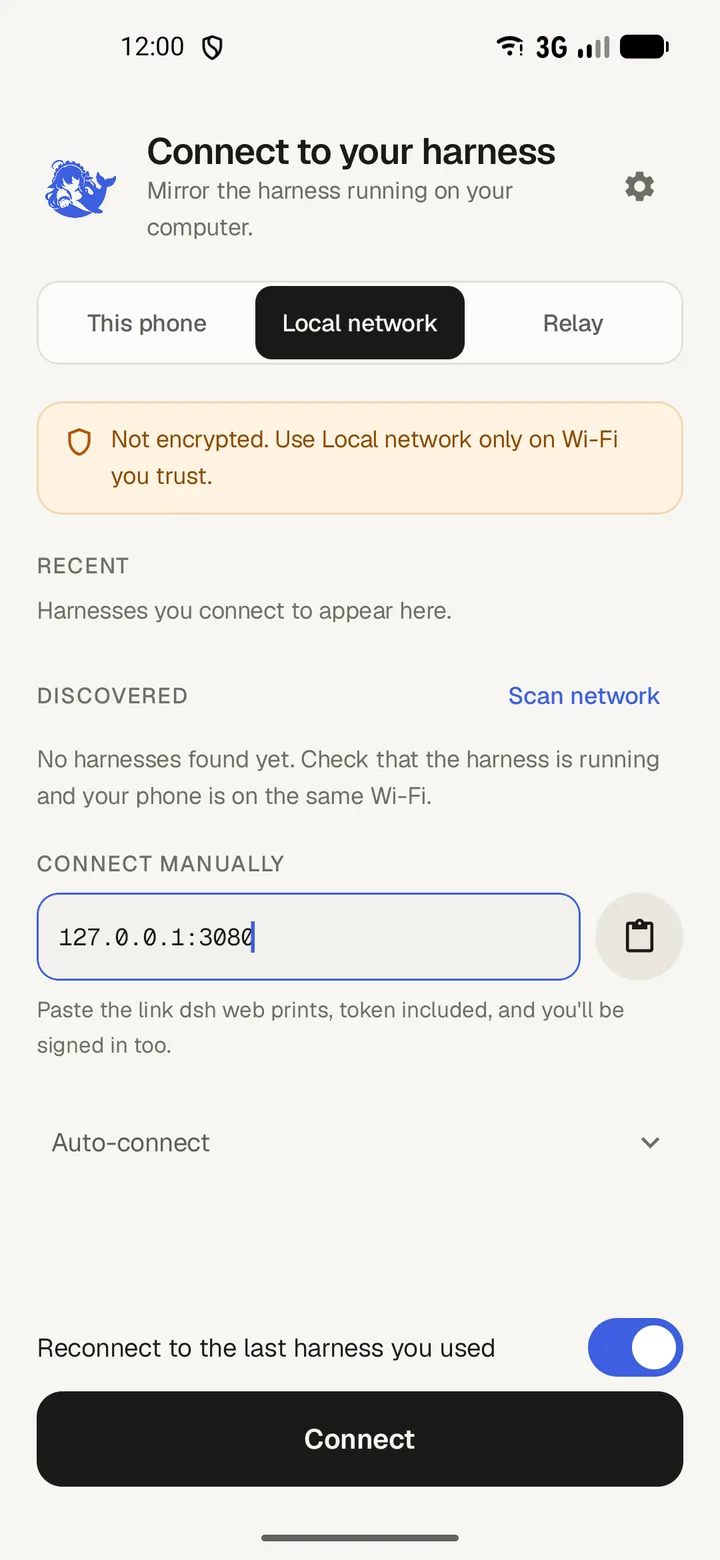
- Open DSH Mobile and choose Local network.
- Paste the whole link into Host address, then tap Connect.
- Or, on the same subnet, tap Scan network and pick the harness from the list.
- The harness appears under Recent for next time.
Older harness versions
Before 0.2.1-alpha.2, dsh web --host is not available. Apply the LAN patch and restart dsh web.